

What Is a DID Number? Direct Inward Dialing Explained.

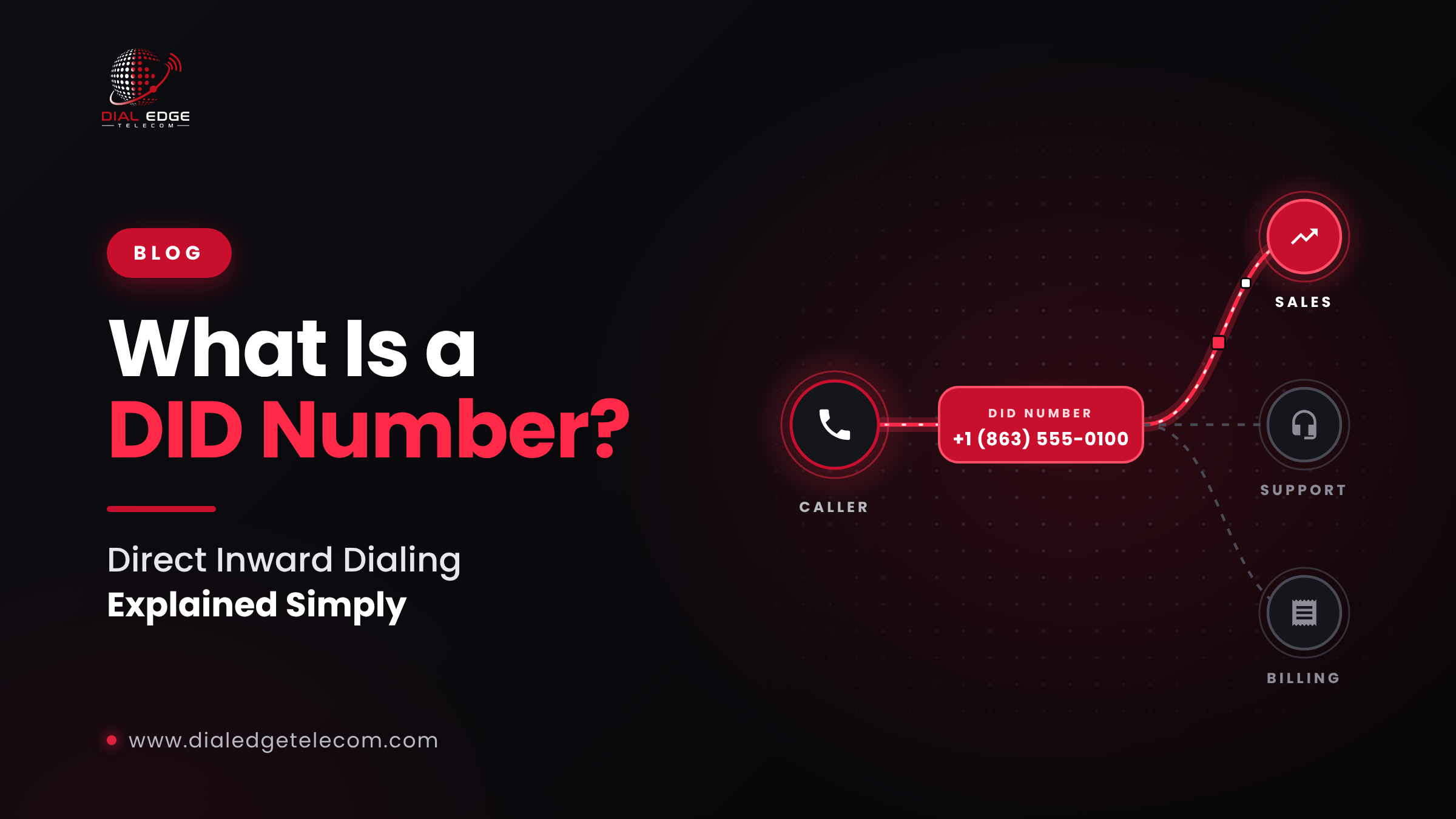
What Is a DID Number?
When a customer calls your business, which number do they dial? A main line that goes to reception? A direct number for their account manager? A local number for your office in their city?
In a VoIP phone system, every one of those numbers is usually a DID number. Here's what that means, how DIDs work and how businesses use them.
What is a DID number?
DID stands for Direct Inward Dialing. A DID number is a phone number that routes incoming calls directly to a specific person, team, department or system inside your business phone setup.
Callers dial a normal-looking phone number, such as a local number with a familiar area code, and the call goes straight where it needs to go, without passing through a receptionist or a long phone menu.
Where did DID numbers come from?
In the past, a business typically had a few physical phone lines shared by everyone. Callers dialed the main number, and an operator transferred them to the right extension.
Direct Inward Dialing changed that. It let a business have many phone numbers that all arrive over the same shared lines, with each number ringing a different person or department directly. That's still the idea today, except the "lines" are now usually VoIP connections like SIP trunks.
How does a DID number work?
A customer dials your DID number from any mobile or landline.
The phone network routes the call to the provider that owns that number: your DID provider.
Your provider sends the call to your VoIP system, usually over a SIP trunk connected to your phone system, dialer or contact center platform.
Your system recognizes which DID was dialed and routes the call to the right destination: a person, a team, a call queue, an auto attendant or another location.
The phone rings where it should.
Because the routing happens in software, you can change where a DID rings at any time, without changing the number.
One important point: a DID number doesn't work on its own. It needs a phone system or VoIP service to send calls to. Think of the DID as the address, and your phone system as the building where the calls are delivered.
DID numbers vs. extensions
A DID number is a full phone number that anyone outside your company can dial directly.
An extension is a short internal number (like "ext. 204") that only works inside your phone system, or after a caller reaches your main line first.
Many businesses use both: DIDs for direct external access, and extensions for internal calls.
Types of DID numbers
Local DID numbers
Phone numbers with a local area code. In the US and Canada, the first three digits (the NPA, or area code) and the next three (the NXX, or exchange) tell callers where a number is "from." Local numbers make your business feel familiar to callers in that area, even if your team is somewhere else.
Toll-free DID numbers
Numbers starting with 800, 833, 844, 855, 866, 877 or 888 in the US and Canada. Callers don't pay for the call; the business does. Toll-free numbers work well for customer support and national campaigns.
Mobile numbers
Some providers also offer mobile-range numbers, which can be useful depending on your use case and the regions you serve.
How businesses use DID numbers
Direct lines for employees: customers and partners can reach their contact without going through reception.
Departments and teams: separate numbers for sales, support and billing, each routed to the right queue.
Local presence: local numbers in the cities and area codes where your customers are. People are more likely to answer, and call back, a local number.
Call centers: inbound numbers that route straight into specific campaigns or agent queues.
Campaign tracking: a different number for each ad, website or campaign, so you can see which ones drive the most calls.
Remote and multi-site teams: numbers that ring wherever your people are, not tied to one office.
Benefits of DID numbers
Better customer experience: callers reach the right person faster.
Higher answer and callback rates: local numbers look familiar and trustworthy.
Flexibility: route or reroute numbers any time in software.
Scalability: add numbers as your business grows, without new physical lines.
Lower costs: many numbers can share the same SIP trunk capacity.
Clear reporting: see exactly which numbers, teams and campaigns receive calls.
What do you need to use DID numbers?
A VoIP phone system, dialer or contact center platform that can receive calls
A connection to your provider, usually a SIP trunk
DID numbers from your provider, in the area codes you need
Routing rules in your system that decide where each number rings
Can you keep your existing numbers?
In most cases, yes. In the US and Canada, you can usually move existing numbers from one provider to another through number porting (LNP, Local Number Portability). It typically requires a recent bill, your account details and a signed authorization. Ask your provider whether they support porting for the numbers you have, and don't cancel your old service until the port is complete.
How to choose a DID number provider
Do you offer local, toll-free and mobile numbers in the area codes I need?
How quickly are new numbers activated?
Can I port my existing numbers?
How are inbound calls routed to my system, and is there failover if something goes wrong?
Are rates clear and based on my volume?
Is technical support available when I need it?
DID numbers with Dial Edge Telecom
Dial Edge Telecom offers DID numbers for businesses using its VoIP services across the US and Canada:
Local, mobile, and toll-free numbers
Local presence anywhere in the US or Canada
Fast provisioning: typically the same day, once your VoIP account is active
Calls routed directly into your VoIP system
Custom rates tailored to your volume
DID numbers are available as an add-on for businesses already using Dial Edge Telecom's VoIP services, such as SIP trunks or voice termination.
Need numbers for your team or campaigns? Request a quote, email sales@dialedgetelecom.com or call +1-863-513-5237.